
There are different methods you can use to change your subscription preferences. Below you can find all the options:
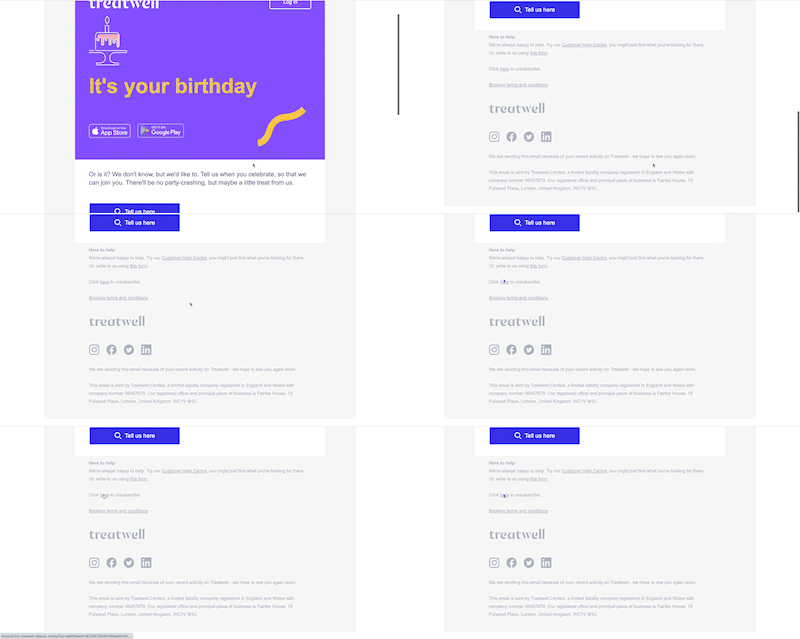
How do I unsubscribe from the newsletter email?
To unsubscribe from our newsletter, simply click the link at the bottom of the newsletter saying 'Click here to unsubscribe'
Then follow the on-screen instructions.
You’ll still receive transactional emails from us, such as appointment confirmations and reminders, and also emails sent directly from our partner venues if you’ve opted in to receive their marketing.
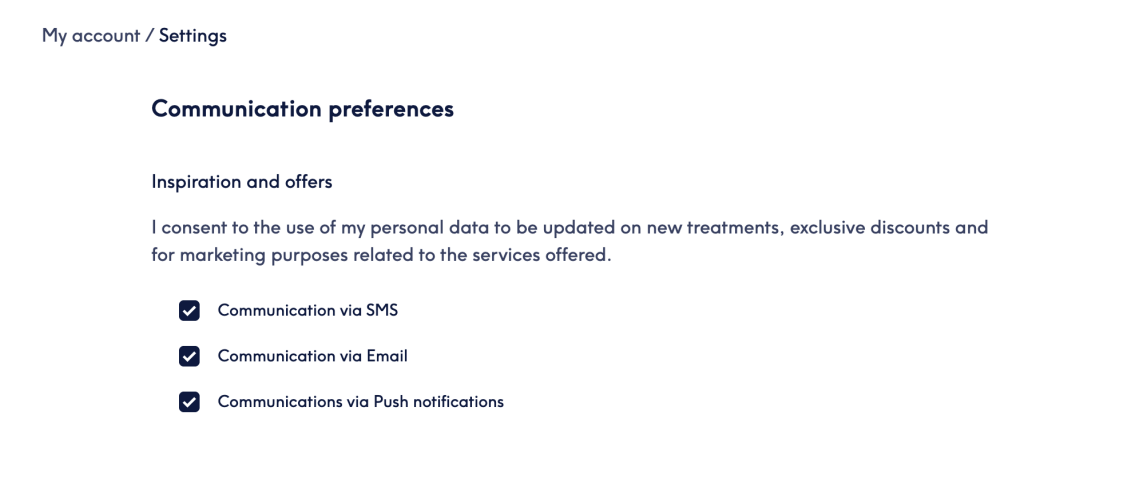
How do I unsubscribe from the Newsletter on the web or app?
Simply go to your account, then click ‘settings’.
Here you can choose your email and subscription preferences by ticking or unticking the boxes, then clicking ‘Submit’.
Remember you’ll still receive transactional emails from us - such as appointment confirmations and reminders, and also emails sent directly from our partner venues if you’ve opted in to receive their marketing.
Was this article helpful?